Use customer segmentation
4 videos in this learning module


4 videos in this learning module
Get started with Sales Insights
Learn how to read the customer segmentation chart, which groups customers into ten segments based on recency, frequency, and monetary value, such as champions, can't lose, and hibernating. You also learn how to open a segment for more detail, search, filter, resegment, and export customers, create CRM tasks with a CRM license, and open a segment in Analytics.
Supporting documentation
Filter and resegment customers
Learn how to narrow the customer segmentation chart with filters, such as product class or country, while customers keep their original segments. You also learn how to resegment, which recalculates the segmentation using only your selected data so customers can be classified differently, and how combining both helps you spot opportunities and manage risk.
Supporting documentation
Create CRM tasks from customer segments
Learn how to turn a customer segment into follow-up work by selecting customers from the grid and choosing Create CRM Activities. You choose the activity type, fill in details such as subject, owner, dates, campaign, and status, and then review the new tasks in the CRM activities list, where each one includes summary context from Sales Insights.
Supporting documentation
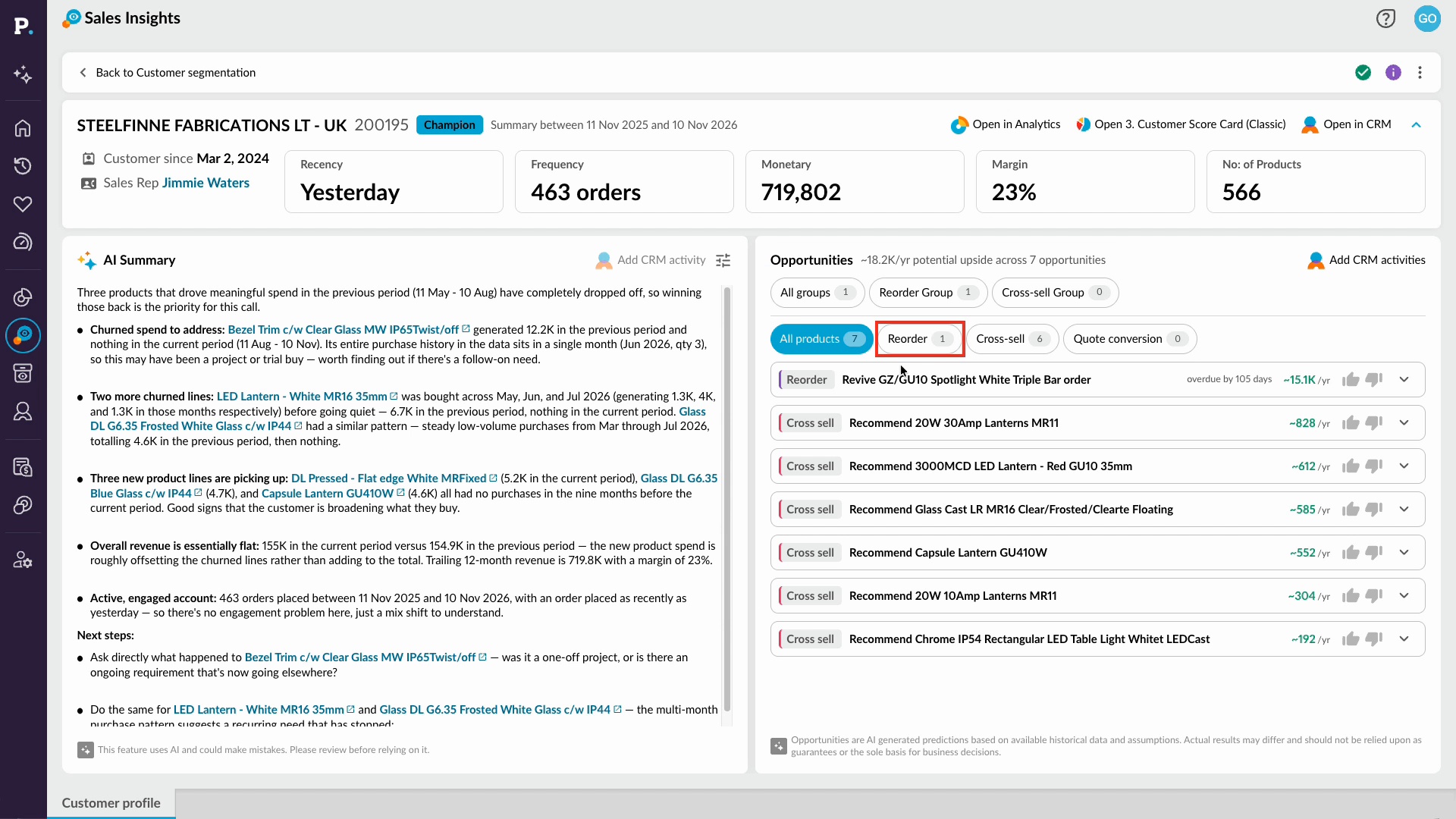
Review a customer profile
Learn how to review a customer's performance in their profile, from the summary and AI Summary to reorder and cross-sell opportunities. You'll also see how to open the data in Analytics and add a CRM activity, so you're ready for your next customer conversation.
Supporting documentation

Related learning modules
 Sales Insights
