Use multiple currencies
6:34 min
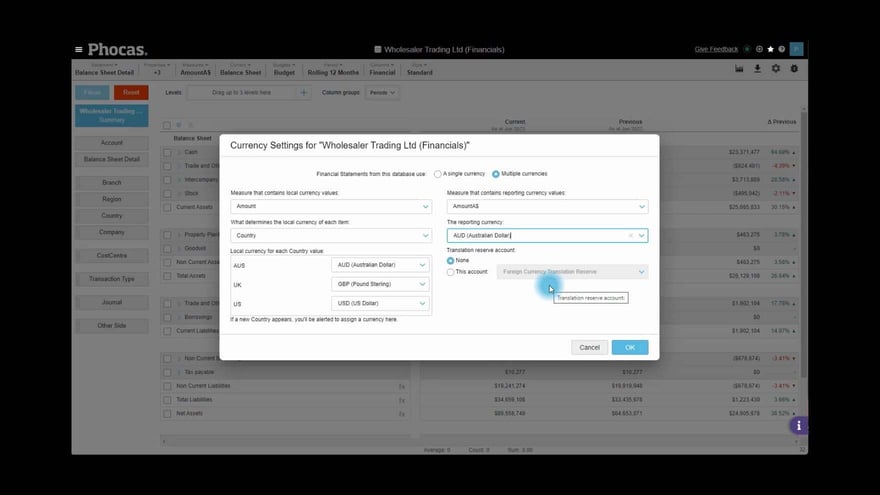
Set up Financial Statements to convert local currencies into a reporting currency in your Balance Sheet using a single FX rate.
Supporting documentation
Phocas product  Financial Statements
Financial Statements Category

Related video tutorials
.png?width=297&height=167&name=thumbnail%20(10).png) Financial Statements
Financial Statements Edit a financial statement
Learn how to edit an existing financial statement to suit your business needs.
3:53 min
 Financial Statements
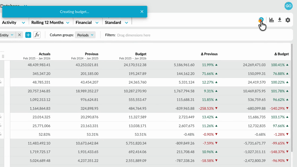
 Create a budget from within financial statements
Learn how to quickly create a profit and loss budget from your financial statements using one click budgeting and start working in a ready-to-use workbook.
1:04 min
 Financial Statements
 Set up elimination journals
Learn how to set up and post elimination journals in Phocas Financial Statements. This video covers the full elimination workflow, from creating an elimination entity and enabling elimination-only accounts to posting journals in Data Entry. It also shows how eliminations are kept separate from ERP actuals, helping you report clearly while maintaining a clean audit trail.
5:20 min
 Financial Statements
 Find your intercompany journals
Learn where to find Journals: a simple, flexible tool for entering debit and credit-style journal entries for a range of different use cases.
1:00 min
