Mobile CRM that helps sales teams do their job
Sales work doesn’t happen neatly at a desk. It happens in real-time while in the car between appointments, on warehouse floors, in customer offices, over coffee and sometimes after hours when you finally get a moment to log what happened during the day.
If you want to make every customer interaction count, mobile access to CRM (customer relationship management) software is now considered an essential. Not as a shiny extra or a box to tick, but as a practical tool that fits the reality of how sales teams work today.
This blog is about recognizing the modern pressures sales teams are under and what a good, well-designed mobile CRM should genuinely help you do.
The reality of modern sales work
Most sales teams are balancing:
- Back-to-back customer meetings
- Long travel days
- high expectations for fast follow-ups
- pressure to keep sales pipeline accurate
- Constant admin like expense claims, travel bookings, route planning
- Sales performance meetings
The problem isn’t that salespeople don’t want to keep customer information up to date. It’s that traditional CRM systems often require that work to be completed at the worst possible time – later, when details are fuzzy or when the day has already run long.
Mobile CRM changes that equation, but only if it’s designed with salespeople in mind.
Mobile access isn’t about doing everything on your smartphone
A common misconception is that mobile CRM means cramming every desktop feature onto a small screen. That usually leads to clutter, frustration and low adoption.
At Phocas, we think CRM designed with simplicity as the goal is the better approach.
Mobile CRM should focus on the moments that matter most when you’re away from your desk. Think before a meeting, during a conversation or immediately after customer interactions. If a mobile CRM supports those moments well, it earns its place in a salesperson’s pocket.
The benefits of mobile CRM
1. Instant access to customer contextBefore walking into a meeting, field sales reps don’t want to dig through systems or emails. They want quick answers:
- Who am I meeting with? The primary contact and other key stakeholders?
- What's our relationship? What was discussed in past interactions? Stock issues, new products, budgets, business structure or staffing changes, roadblocks to ordering more stock or expanding product lines?
- Are there any open issues? Back orders, faulty stock, failed deliveries, potential supplier/vendor reviews in the pipeline?
- Are there any opportunities to nurture? Issues with a competitor you could capitalize on, plans to expand with new
Useful mobile CRM solutions make this information easy to find and easy to read, without tapping through multiple screens or filters. The detailed context helps sales representatives arrive prepared and confident. Customers notice too, as it shows you valued the last meeting enough to capture what was discussed and what needed to happen next.
2. Simple, fast updates while details and ideas are freshThe best time to log notes is right after the conversation, not hours or days later.
Mobile CRM should make it easy to:
- Log meeting notes
- Create follow-up tasks
- Update deal status
- Record calls or emails
If updating the CRM is heavy or slow on mobile, people put it off. This can mean that important details and follow-up tasks get missed and the chance to build on the great rapport from your meeting – with prompt replies and follow-through – is lost.
Quick, easy data entry keeps information up to date without adding extra work to a salesperson’s already full to-do list. This frees them up to focus on higher-value work – like preparing for customer visits, reviewing pricing and order history, quotes follow ups and closing deals.
3. A clear view of what’s next
Salespeople juggle dozens of relationships and follow-ups at once. On mobile, a CRM should clearly show:
- Account details – contacts, phone numbers, addresses
- Agenda details – upcoming meetings and activities
- Leads – the ability to view, edit or convert leads
This shouldn’t be a complex dashboard, but rather a clear, actionable list or card layout (instead of hard-to-read grids) that help field sales reps plan their day on the fly.
This kind of visibility makes updating customer data easy and supports consistency, which is key to building trust and improving overall customer experience over time.
4. Automation: calendar and activity syncing
Sales reps already live in their calendars. When CRM and calendars don’t talk to each other, things get missed. Meetings aren’t logged, follow-ups slip and admin work doubles.
A good mobile CRM aligns with those existing habits by using automation to sync meetings and activities and provide push notifications, so salespeople don’t have to remember to update multiple systems.
Less duplication means more reliable data and, once again, less admin.
5. Confidence that the data is accurate
Nothing undermines trust faster than outdated or conflicting information. Mobile CRM works best when it automatically connects to the same source of truth as the rest of the business – like your ERP or business intelligence software, rather than juggling multiple, error-prone spreadsheets.
When sales teams know that they’re viewing real-time data that is securely shared across teams, they’re more likely to rely on it, keep it updated and harness it to improve decision-making.
6. Offline-friendly, real-world ready
The sales process doesn’t stop when the internet connection drops. Whether it’s a regional site visit or a warehouse with patchy reception, mobile CRM should still be usable when connectivity isn’t perfect.
Even limited offline access – like viewing key details or drafting notes to sync later – can make a real difference on busy days.
Why simplicity matters more than key feature lists
Many CRM tools promise everything. In practice, too many features can overwhelm field sales teams and slow them down, especially sales reps who are moving between customers, sites and meetings all day. When software feels heavy or complicated, adoption drops and data quality suffers.
Salespeople don’t want to fight software. They want tools that support how they already work. That’s why simplicity matters more than ticking off an endless feature list.
The most effective mobile CRM tools:
- Support core sales workflows, like managing accounts, logging activity and following up
- Remove unnecessary steps, clicks and screens
- Feel intuitive, so reps can use them straight away without training manuals or workarounds
When CRM is easy to use, it becomes part of the routine instead of another task to avoid. Reps log activity as they go, keep information up to date and walk into every prospect or customer interaction prepared.
Mobile CRM supports better customer relationships
At its best, mobile CRM isn’t about control or monitoring. It’s about enabling better conversations.
When sales teams can respond faster, remember important details – like special pricing agreements, preferred products or back orders, and follow through consistently, they come across as organized and prepared. More importantly, it shows they genuinely care and understand the day-to-day pressures their customers face. That’s how strong, long-term relationships are built – and why sustainable revenue follows.
Choosing the right mobile CRM partner
Not all CRM platforms approach mobile the same way. Some start with complexity and try to shrink it down for smaller screens. Others like Phocas start with how wholesale distribution and manufacturing sales teams work day-to-day and build from there.
Tools like Salesforce are a strong fit for large, complex sales organizations with dedicated admin support and highly customised processes. For many small to mid-market manufacturing, distribution and retail businesses, that level of complexity is often not necessary.
Phocas CRM is designed to help sales teams have up-to-date data at their fingertips. That shows up in its simplicity; clean screens, clear layouts and quick access to customer details, activity and tasks. There’s no clutter, no buried key features and no need to jump between tools to understand what’s happening with a customer.
That kind of mobile simplicity removes friction from the sales day. Instead of saving notes for later or missing follow-ups, sales teams keep information current as they go, respond faster and stay on top of what matters.
If you’ve been managing without a CRM and want a simple way to capture customer context, track activity and follow through consistently, a CRM like Phocas is a practical place to start. And if your current CRM feels too complex for how your sales team actually works, it may be time to rethink what spatialized mobile access really means.
Because the right mobile CRM shouldn’t slow sales teams down. It should quietly support them, wherever the day takes them.
Unlock faster, smarter sales success
Download now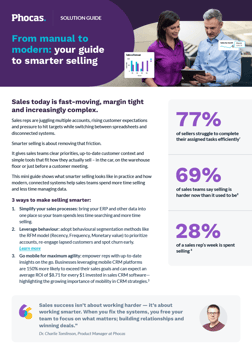


Lindsay is an experienced writer with a passion for translating complex content into plain language. Specializing in the software industry, she explains the importance of data access and analysis for all businesspeople, not just the data experts.
Related blog posts

In the Phocas State of Sales in Distribution 2026 report, 34% of distributors said they don’t measure their new-business win rate and 39% don’t track forecast accuracy or don’t know what it is. That’s a lot of pipeline running without much visibility across a distribution sales team. Using a distributor-focused CRM for pipeline analytics help sales leaders report on every stage of the deal and plan next steps for each stage conversion.
Read more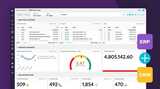
If you work as a sales leader in distribution, a deal is usually counted by finance when the invoice goes out or the payment is received. Yet, if you use a generic CRM system, the sales win is often recorded as soon as the rep gets off the call with the new order. The CRM shows the original deal value. The ERP holds the details of what actually happened. For a distribution sales leader, that gap makes it harder to judge performance. You can see what the team has won, but you still need another report to find out what was invoiced, what remains outstanding and how much margin the sale generated.
Read more
Everyone working in distribution needs access to CRM for different purposes. A rep might manage customers across several branches and the regional manager is overseeing multiple states and reps. Finance partners often need visibility into major opportunities or want to check the terms of a sale but wouldn't edit transactions.
Read more
One in five distributors say their most pressing sales problem is reps not knowing which accounts to prioritize, according to Phocas' State of Sales in Distribution report. Guided selling takes over the digging, telling each rep who to call, why and what to say. Working out where to focus means checking who's stopped ordering, which product lines have slipped and where there's room to sell more. Reps can do that by hand, but it takes hours across different reports. Guided selling in a CRM built for distributors brings those answers to them, ranked by revenue impact, with every next step tracked.
Read more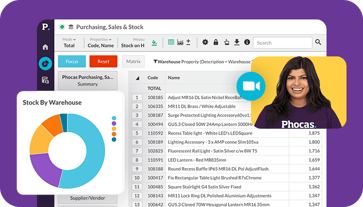
Find out how our platform gives you the visibility you need to get more done.
Get your demo today