Add data to your financial statements
8:38 minutes total learning time
COMING SOON – This module introduces the Journals feature in Financial Statements: a simple, flexible tool for entering debit and credit-style journal entries for tasks like intercompany eliminations and management reporting adjustments. You’ll learn how to make quick manual adjustments between entities, publish them back to your financial statements, and streamline workflows when managing multiple ERPs or using Excel.
Phocas product  Financial Statements
Financial Statements 3 videos in this learning module
1
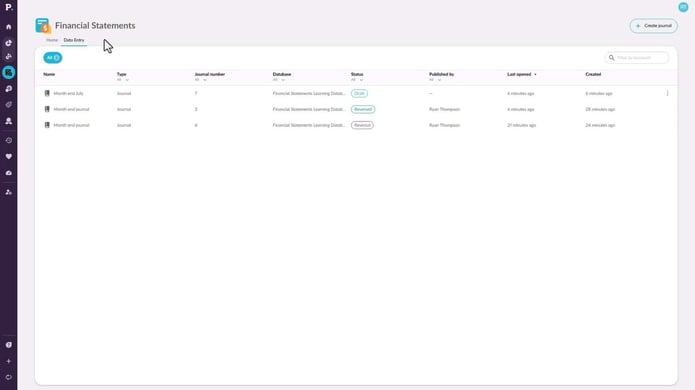
Find your intercompany journals
1:00
2
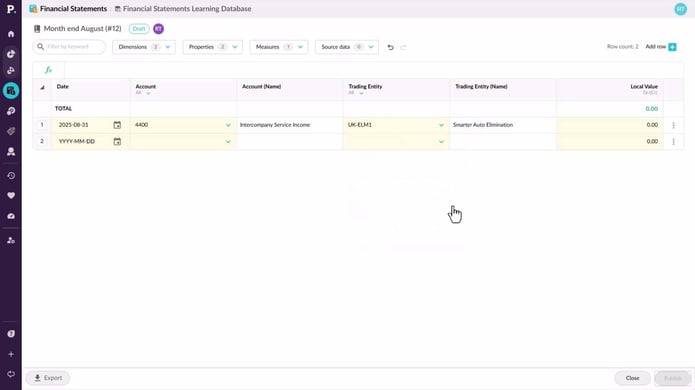
Create an intercompany journal
2:18
3
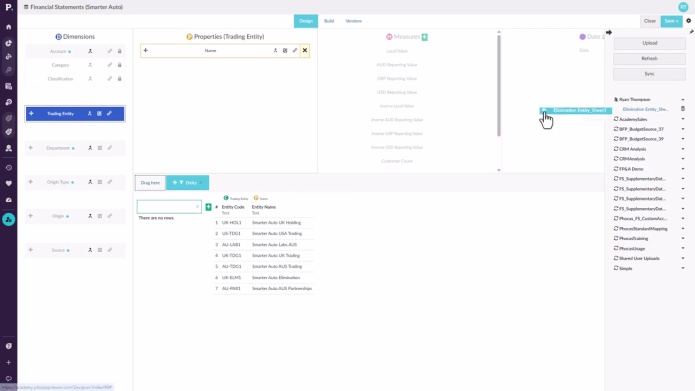
Set up elimination journals
5:20
3 videos in this learning module
1
Find your intercompany journals
1:00
2
Create an intercompany journal
2:18
3
Set up elimination journals
5:20
Find your intercompany journals
Learn where to find Journals: a simple, flexible tool for entering debit and credit-style journal entries for a range of different use cases.
Supporting documentation
Create an intercompany journal
Learn how to use the journal data entry tool to make manual adjustments to your numbers and publish these back into your financial statements.
Supporting documentation
Set up elimination journals
Learn how to set up and post elimination journals in Phocas Financial Statements. This video covers the full elimination workflow, from creating an elimination entity and enabling elimination-only accounts to posting journals in Data Entry. It also shows how eliminations are kept separate from ERP actuals, helping you report clearly while maintaining a clean audit trail.
Supporting documentation
Phocas product
Financial Statements 
Related learning modules
 Financial Statements
 Get started with Financial Statements
This module for beginners helps you get started in Phocas Financial Statements. Learn about the grid, layouts and charts and how to add a favorite view to your dashboard.
6 videos
13:11 min
 Financial Statements
 Explore and analyze financial information
Discover how you can change statement views, apply filters, add detail, and drill down into your data to move smoothly from a high-level overview to detailed insights for deeper analysis.
4 videos
8:15 min
 Financial Statements
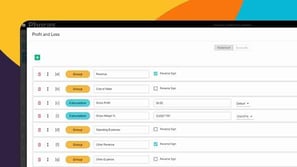
 Create and manage financial statements
Learn how you can customize financial statement layouts and contents to fit your organization's needs by adding, removing, and reordering items.
10 videos
37:48 min
Financial Statements Use financial statements for budgeting
This module takes you through key budgeting features using financial statements in Phocas. These videos help you plan and manage budgets more effectively.
2 videos
7:17 min
