Clone a user
1:56 min
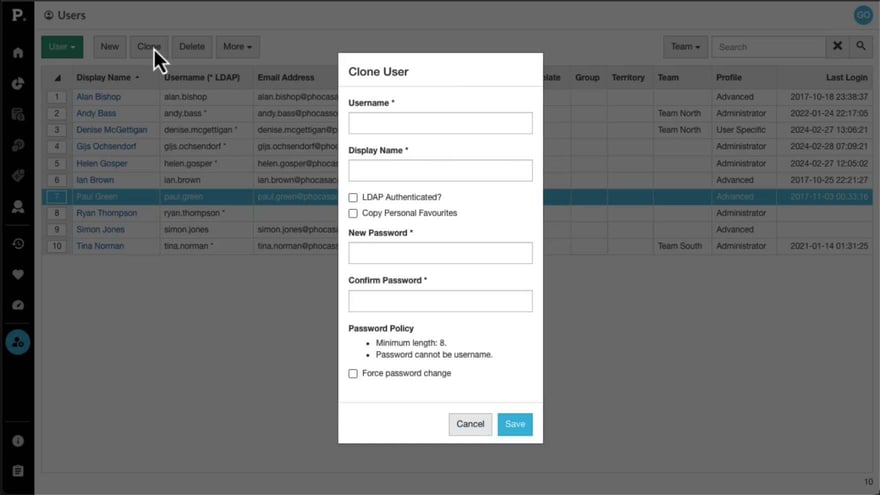
Learn how to clone a user from the Users page by choosing a username, display name, and password, and requiring a password change at first login. The new user keeps the cloned profile and database access, which you can adjust, including adding another database with a default defined period. Fill in the blank address field so they aren't prompted for it at first login.
Supporting documentation
Phocas products

Category
Tags

Related video tutorials
 Platform
Monitor user activity
Learn how to track user activity from the Users section in administration, where each user's Usage tab shows which databases they use, how many queries they run, and when. You can spot low usage users to offer extra training, and with detailed logs turned on in their settings, the Query logs tab records their queries, clicks, and exports.
1:33 min
 Platform
Assign and edit user profiles
Learn how to update an organization profile, such as renaming it or adding sharing permissions, and apply the changes to every user assigned to it. You can make these edits from the Profiles page or from an individual user's account, and you can also create a user specific profile when none of the existing profiles fit.
2:35 min
 Platform
Add an organization profile
Learn how to compare default profiles such as Administrator, Basic, Advanced, and Viewer, then create an organization profile from scratch for a team like field sales. You choose which permissions to allow or remove, for example full query access without export rights, and then assign the profile to multiple users, which makes permission management much easier.
3:27 min
 Platform
Update users in bulk
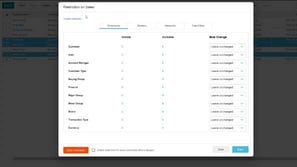
Learn how to select several users in Administration, then choose More and Bulk update to change their profile, grant folder access, and give them database access with a default period. You can restrict what they see by dimension, measure, and data filters, such as limiting them to their own area. A summary lets you review and confirm the changes before they run.
4:30 min