Edit a financial statement

Learn how to edit a financial statement so its layout and formatting match your reporting needs. You'll add groups and calculations such as gross margin, arrange rows, apply formatting and performance indicators, choose the revenue row for percent revenue analysis, and build the database so your changes take effect.
Supporting documentation
 Financial Statements

Related video tutorials
 Financial Statements
Add a financial statement
Learn how to add a new financial statement in Financial Statements, either from scratch or by duplicating an existing one. You'll choose the statement type, name it, and create or reuse an account mapping. Duplicating copies the structure and mappings, so you can make changes without affecting the original.
 Financial Statements
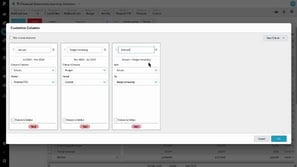
Customize columns
Learn how to add, rename, and hide total, sum, and variance columns, each with its own data stream and period. For example, combine actuals with the remaining budget to build a forecast, then compare it with your full-year budget. Save the result as a custom layout, favorite, or dashboard item.
 Financial Statements
Create an indirect Cash Flow statement using 'hide rows'
Learn how to create an indirect Cash Flow Statement in Financial Statements. You start from profit, add back non-cash items like depreciation, interest, and tax, then use those same groups with balance sheet movements to derive working capital and net cash CapEx, while hiding rows to keep the view clean.
 Financial Statements
Customize your Cash Flow Statement
Learn how to customize your Cash Flow Statement in Financial Statements, the same way you customize a Balance Sheet or Income Statement. You add an accounts receivable group, assign the relevant accounts to it, and adjust the calculation to see how receivables affect cash flow over a period.
