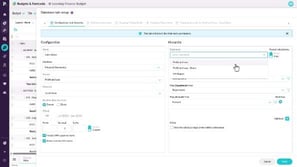
Set up comparison rows

Learn how to configure comparison rows that appear beneath each budget row, starting from the default of last year's actuals. You'll change the stream, measure, and offset, add more comparison rows, apply custom formatting, and see how contributors can show or hide them while variance percentages update as they edit.
Supporting documentation

Related video tutorials

 Budgets & Forecasts
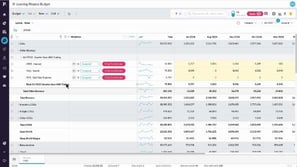
Use comparison rows
Learn how to show comparison rows that display values from another stream, such as last year's actuals, along with the percentage difference as you adjust your budget. You'll also learn several ways to show or hide them, and, if you have access to financial data, how to view the transactions behind a cell's value from the cell menu.
 Budgets & Forecasts
Add detail to your budget
Learn how to add detail when changing the budget setup isn't practical, by adding database or balance sheet tabs and new rows on the main tab. You'll see how a database tab drives values into the main tab, how a balance sheet tab adds a cash flow tab for a three statement model, and how to add accounts or entities.
 Budgets & Forecasts
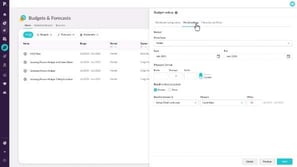
Create a budget workbook
Learn how to create a budget workbook by naming it, choosing a database, setting the budget period, and deciding how to populate it, for example with last year's actuals or all zeros. You'll also review hierarchy settings, see why to finalize the setup before budgeting begins, and manage access and permissions for administrators.
 Budgets & Forecasts
Use sum and working lines
Learn how to add sum lines to break a budget row into detail, such as office supply costs by building, and how to fill months with copy forward or spread evenly. You'll also learn how to add a working line that calculates bad debts as a percentage of sales revenue using an Excel-style formula.
