Use sum and working lines
3:07 min
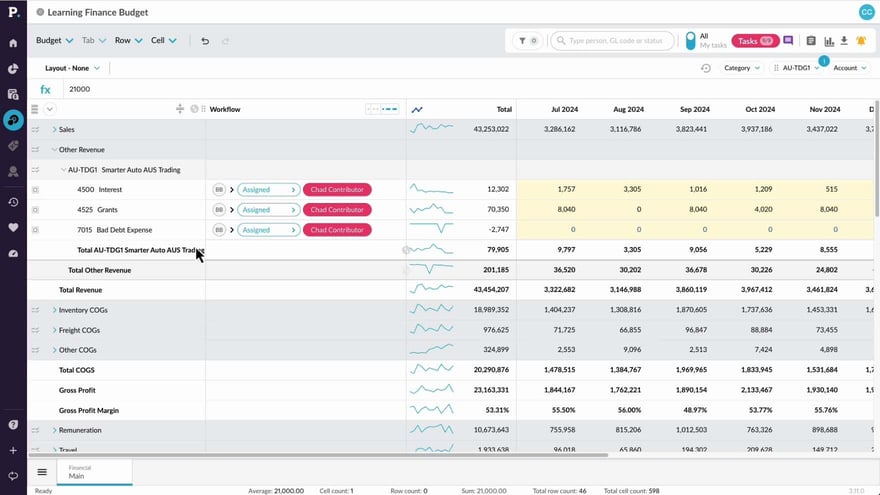
Add extra details to your budget worksheets using sum or working lines on the Main tab. This breaks down values not shown in the Profit and Loss statement, helping you and your team quickly understand where money is coming from or going to.
Supporting documentation
Phocas product  Budgets & Forecasts
Budgets & Forecasts Category

Related video tutorials
 Budgets & Forecasts
 Add detail to your budget
Learn how to expand your budget or forecast workbook by adding new worksheet tabs with additional levels, entities, accounts, and categories. The process is the same for both budgets and forecasts, and requires Budgets & Forecasts and Manage Budgets & Forecasts permissions.
2:38 min
 Budgets & Forecasts
 Set up comparison rows
Learn how to set up comparison rows, such as last year’s actuals or forecasts, to give your team context for smarter, data-driven budget edits with instant variance insights.
3:14 min
 Budgets & Forecasts
 Create a budget workbook
Learn how to create structured, collaborative budget workbooks in Phocas Budgets & Forecasts, so you can confidently kick off the budgeting process.
3:09 min
 Budgets & Forecasts
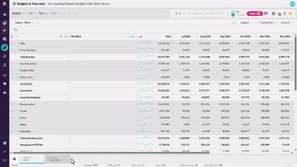
 Take a tour of Budgets & Forecasts
Learn the basics of Budgets & Forecasts, including how to access your workbooks and navigate the key elements within a budget workbook.
2:47 min
