Set up elimination journals

Learn how to set up and post elimination journals in Financial Statements. You'll create an elimination entity, make elimination-only accounts journal-ready, and post a balanced journal in Data Entry. Eliminations sit in their own stream, so you can report on actuals alone or with eliminations and keep a clear audit trail.
Supporting documentation

Related video tutorials
 Financial Statements
Find your intercompany journals
Learn how to find intercompany journals in Financial Statements by opening the Data Entry tab on the homepage. You'll see which permission you need and how to view existing journals, continue drafts, create new ones, filter by keyword, and delete journals that are still in draft status.
 Financial Statements
Create an intercompany journal
Learn how to create an intercompany journal from a financial statement or the Data Entry tab, then enter balanced debit and credit lines against an elimination entity. You'll add descriptions, save the journal as a draft to keep editing, and publish it when you're ready to make it final.
 Financial Statements
Edit a financial statement
Learn how to edit a financial statement so its layout and formatting match your reporting needs. You'll add groups and calculations such as gross margin, arrange rows, apply formatting and performance indicators, choose the revenue row for percent revenue analysis, and build the database so your changes take effect.
 Financial Statements
Create a budget from within financial statements
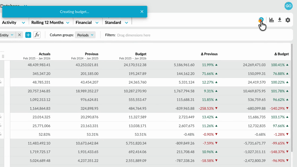
Learn how to create a profit and loss budget directly from your financial statement with one click budgeting, available with the Budgets and Forecasts module. You'll set up the statement levels, create the budget, and open a workbook that reflects your setup, which cuts setup time and keeps both modules aligned.
