Manage content and folders
5:12 minutes total learning time
A user's profile defines their access and capabilities in Phocas. This module demonstrates how to assign profiles and permissions to individuals or groups, and how to efficiently manage data sharing across your Phocas site.
Phocas product  Platform
Platform 2 videos in this learning module
1
Manage favorites, dashboards, and subscriptions
3:18
2
Manage folders
1:54
2 videos in this learning module
1
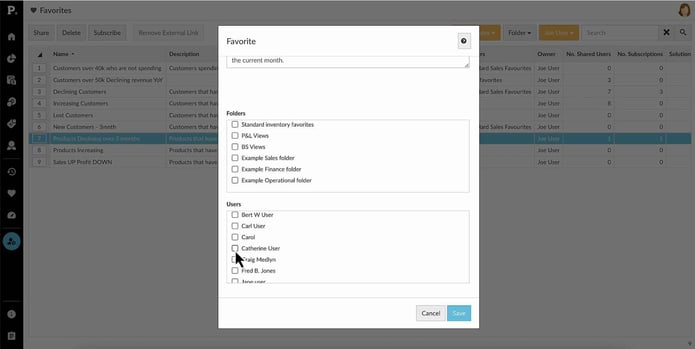
Manage favorites, dashboards, and subscriptions
3:18
2
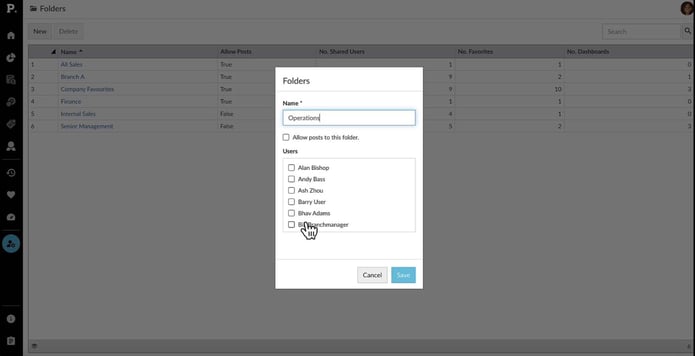
Manage folders
1:54
Manage favorites, dashboards, and subscriptions
Learn how to manage and share favorites and dashboards with users, and discover how to subscribe them to email notifications to keep them updated on important changes in key data.
Supporting documentation
Manage folders
Learn how to organize user favorites and dashboards into folders within a database. Discover how to create, rename, or delete folders and manage access permissions for each one.
Supporting documentation
Phocas product
Platform 
Related learning modules
 Platform
 Manage users and access
This module covers the fundamentals of setting up new users in Phocas, including adding users, setting passwords, importing new users via CSV, and updating multiple users simultaneously using the bulk update feature.
9 videos
25:05 min
 Platform
 Set date ranges for databases
Administrators decide what defined periods (date ranges) appear in the Period dropdown menu for each database. Learn how to maintain these.
4 videos
12:13 min
