Set date ranges for databases

4 videos in this learning module
4 videos in this learning module
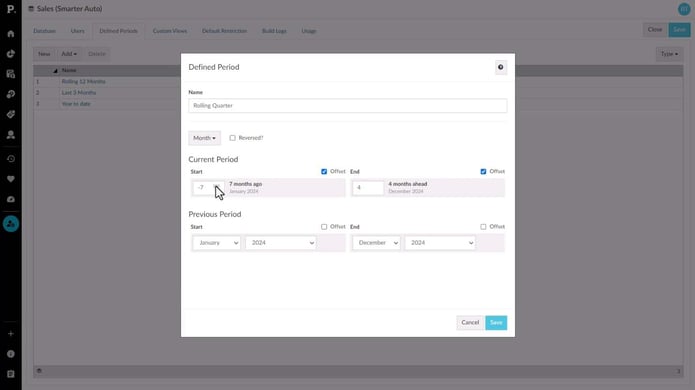
Set defined periods for a database
Learn how to manage database periods as an administrator by opening Databases and the Defined periods tab. You can add a predefined period from the common list or create your own, such as a rolling quarter based on offsets from today's date. Once you save at the database level, the period is available to everyone who uses that database.
Supporting documentation
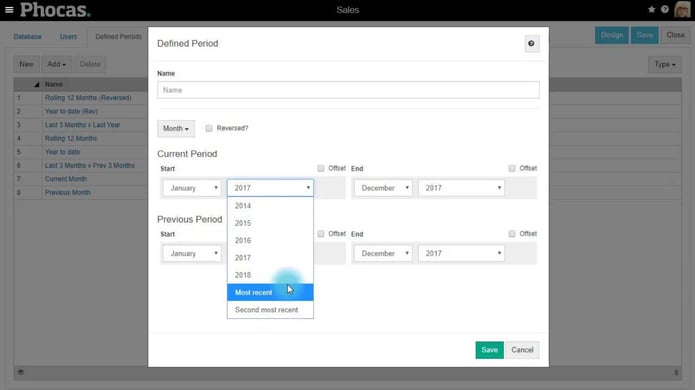
Add a defined period using Dynamic Month option
Learn how to define a default period in a database's Defined periods tab using the Dynamic Month option, which replaces the year with Most recent or Second most recent. You set a current period from the first month of your financial year to the current month, then a previous period for comparison. The new period appears in the list and updates automatically each year.
Supporting documentation
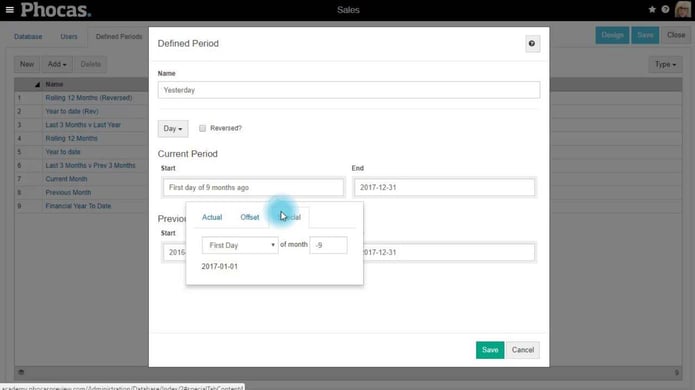
Add a defined period using Special Offsets (days)
Learn how to add a defined period in a database's Defined periods tab using the special offset option, which is only available for days. You set the current and previous period start and end points by choosing Match yesterday with a month offset of zero or minus one, so you can compare yesterday's sales with the same day last month.
Supporting documentation
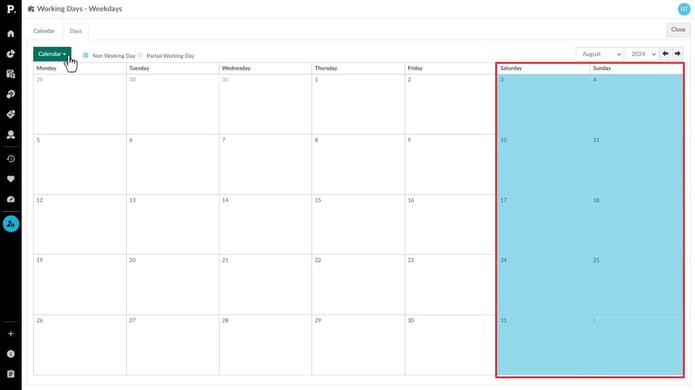
Create a working days calendar
Learn how to set up a working days calendar in administration by naming it, choosing the start and end years, and excluding weekends. You then mark public holidays as non-working days and set a half day to 0.5, and apply the calendar through the Daily average option in Format in Phocas Analytics for more meaningful results.
Supporting documentation

Related learning modules
 Platform
Manage users and access
 Platform