Change the columns
1:41 min
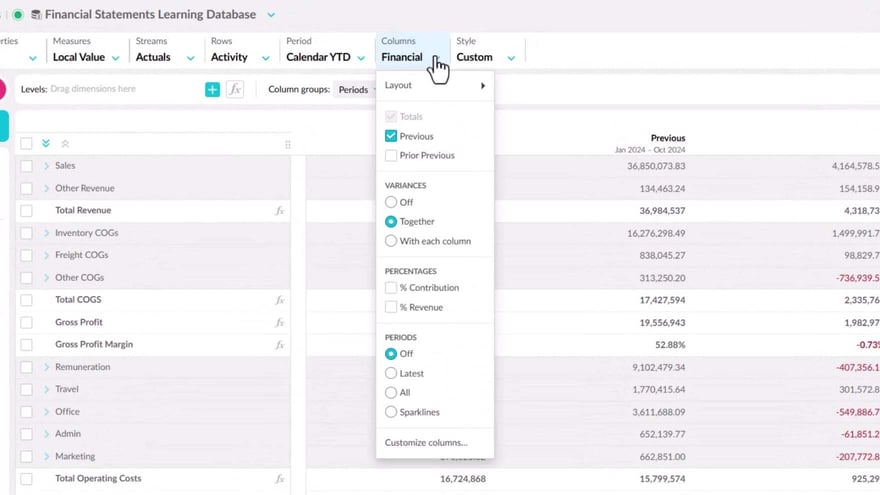
Learn how to use the columns menu to change the view of a financial statement and see the information you want.
Supporting documentation
Phocas product  Financial Statements
Financial Statements Category

Related video tutorials
 Financial Statements
 Customize columns
If you have permission to customize statements, you can design your own version of a Profit and Loss statement and Balance Sheet statement by defining the columns that they contain, giving you much greater flexibility in the layout and analysis capabilities.
3:57 min
 Financial Statements
 View financial information in a matrix (change column groups)
Learn how to use Column Groups to show financial data side-by-side in a matrix format. This setup allows for quicker comparisons and makes it easier to spot differences in performance.
2:25 min
.png?width=297&height=167&name=thumbnail%20(10).png) Financial Statements
Financial Statements Edit a financial statement
Learn how to edit an existing financial statement to suit your business needs.
3:53 min
 Flex Modes
 Add and manage columns
Learn how to add and manage columns in the grid to shape your analysis. This tutorial covers adding measure and calculation columns, adjusting number formats, and organizing or removing columns so the grid shows the information you need.
2:47 min
