Homepage at a glance
3:00 min
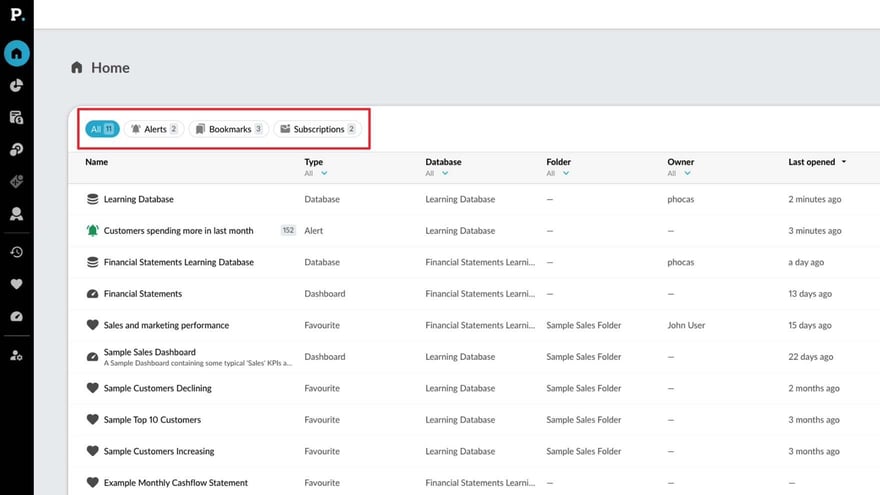
Learn how to make the most of your homepage - the starting point to easily find databases, dashboards, favorites and recents.
Supporting documentation
Phocas product  Analytics
Analytics Category

Related video tutorials
 Platform
 Manage favorites, dashboards, and subscriptions
Learn how to manage and share favorites and dashboards with users, and discover how to subscribe them to email notifications to keep them updated on important changes in key data.
3:19 min
 Platform
 Set a dashboard as your home page
If you have a dashboard you keep coming back to, you might want to save it as your home screen. This video shows you how to do this, so that whenever you log in to Phocas that dashboard will be the first thing you see.
0:43 min
 Analytics
 Create an interactive dashboard
Learn how to create dynamic and interactive dashboards to monitor key business KPIs. Start by setting up a dashboard and adding content, whether it's a favorite report or a custom visualization built from scratch.
3:17 min
 Flex Modes
 Use alerts
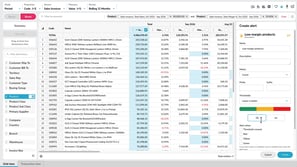
Learn how to create and manage alerts in Phocas to keep track of important results and quickly see when something needs your attention. Set the metric to monitor, define red, yellow, and green thresholds, choose when notifications are triggered, and set up email delivery. You’ll also see how to test alerts before creating them, find them on the homepage, subscribe to shared alerts, and restore deleted alerts when needed.
2:56 min
