What’s new in Phocas

See the latest features in action
Join the Phocas team for a curated walkthrough of recent releases and enhancements and a look at what's coming. Learn practical tips, ask questions and share feedback directly to the teams building and supporting Phocas.
We're running these sessions regularly throughout the year to keep you close to how the platform is evolving – so you can take advantage of new features as they land and get more value from Phocas every day.
You'll get a preview of near-term roadmap priorities so you can plan ahead, pick up quick wins to apply new capabilities straight away and get direct access to the teams building and supporting Phocas. Plus, test your knowledge for a chance to win a $250 Amazon voucher.


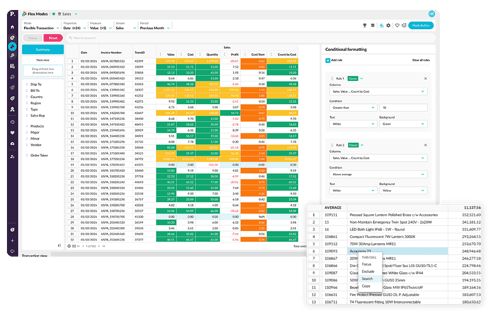
More control, deeper analysis, and new ways to explore your data with Flex Modes
Flex Modes helps you ask better questions and uncover deeper insights. Now you'll have more control over how you filter, structure, and explore your data — and it's easier to dig into the transactions that drive your business.
Phased rollout
- Powerful filtering and queries for faster answers
Focus on what matters, use conditional formatting for comparisons, and explore complex scenarios with confidence - Customized grid view for clearer insights and reporting
Cut through noise, instantly compare time periods with precision, and present data the way it needs to be seen - Drill in to details with flexible Transaction Mode
Use powerful analysis tools to make comparisons, gain insights and analyse results at transaction level

More connected workflows and faster action with Sales Insights
Insights now works more seamlessly with the rest of Phocas, helping you move faster and act on opportunities without breaking your flow. You can take action directly from Insights or dive deeper into your data with connected tools for richer analysis.
What’s new
- Open customer segments in Flex Modes
Jump straight from a segment to Flex Modes, with customers automatically applied as a filter so you can explore their transactions, products, and trends in more detail. - Create CRM tasks directly from Insights
With a CRM license, create tasks in bulk without leaving Insights—so you can quickly act on key customers and keep your sales workflow moving.
Tailored sales insights, powered by more advanced segmentation
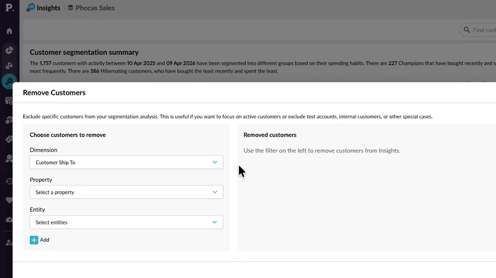
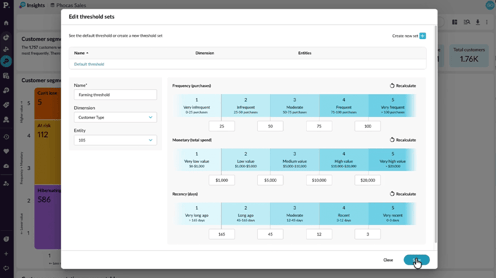
Shape Insights to better reflect how your business works, with more control over segmentation, data inclusion, and how transactions are defined. These enhancements help ensure your insights are cleaner, more relevant, and aligned with your real-world operations.
What’s new
- Remove customers
Exclude specific customers from Insights calculations entirely—so inactive accounts, closed customers, or outliers don’t skew your results. - Define threshold sets
Apply different segmentation thresholds to different customer groups, making your value bands more accurate and meaningful for how your business operates. - Define your transaction property
Choose which field defines a transaction—such as Invoice Number or Order Number—so frequency and related metrics align with how your business tracks activity.

Simpler creation, greater flexibility, and more control with Financial Statements
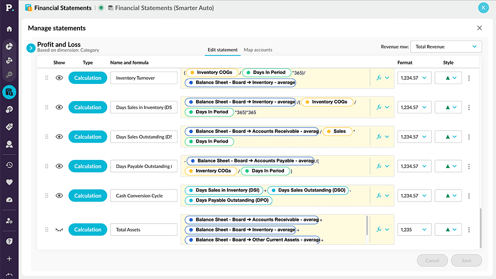
Manage statements has been upgraded to give you a more intuitive and flexible way to create, edit, and organize your financial statements. With a cleaner layout and improved editing experience, it’s easier to build, customize, and manage statements with confidence.
What’s new
- Export exactly what you need
Export values only on new style workbooks, removing formula complexity and speeding up even the most data-heavy spreadsheets. - Improved editing experience
A more intuitive editing area with clearer tabs, simplified controls, and flexible styling makes it easier to customize statements and understand how they’re structured. - Simpler formula creation
Build calculations faster with click-to-select references and an improved formula experience—no need to rely on complex syntax or documentation. - Better visibility and control
Clearer options for showing/hiding items, setting performance direction, and styling rows give you more precision over how your statements are presented.
Smarter Admin controls for better data and scheduling
New admin enhancements give you more power in how you manage data, scheduling, and access—making it easier to keep everything up to date and aligned with your business needs.
What’s new
- Views/Items visibility in Sync Sources
The Sync Sources grid now shows both the number of views and total items for each source at a glance, making it easier to understand source contents without opening each one. - Smarter scheduling for builds and mappings
Schedule database builds and CRM mapping updates to run after selected sources sync, so updates happen as soon as relevant data is available. - Date offset filters
Create dynamic filters using relative dates (like last two weeks or last month), making recurring reports easier without relying on fixed dates. - AND/OR filter logic
Choose how multiple filter items are combined, giving you more precise and flexible control when building streams and data views. - SSO improvements
A smoother, more reliable single sign-on experience makes it easier for users to access Phocas securely.
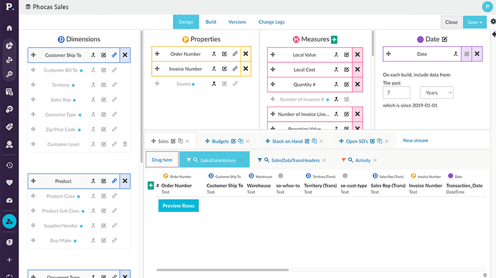

Explore what’s next with Phocas
Get early access to upcoming features and innovations, so you can start exploring new capabilities, provide feedback, and stay ahead of what’s coming next in the Phocas platform.
What’s available in Early Access
- AI Financial Statements
Leverage AI to streamline how financial statements are created and analyzed, helping you work faster and uncover insights with less manual effort. - CRM Workflow Management
Manage your sales pipeline with a flexible, visual workflow tool designed to track deals through customizable stages and keep your team aligned. - CRM Voice Integration
Capture notes and next steps using voice after meetings, turning conversations into actions quickly without slowing down your workflow.

Phocas product highlights 2025
Catch up on everything new in Phocas from 2025 and get a first look at what’s coming in 2026. This interactive virtual event brings you practical tips, insider tricks and real use cases to help you get even more from your Phocas platform.
Hear from our customer and product teams as they recap the year’s biggest updates, show what’s on the horizon, and give you a chance to ask questions and share feedback.
From new Flex Modes in Analytics to Sales Insights, smarter budgeting tools and journal functionality in Financial Statements – 2025 was a big year for the Phocas platform. Whether you caught every release or just want to see the highlights, this session brings it all together in one fast-paced, practical hour.

Turn reporting into real-time discovery
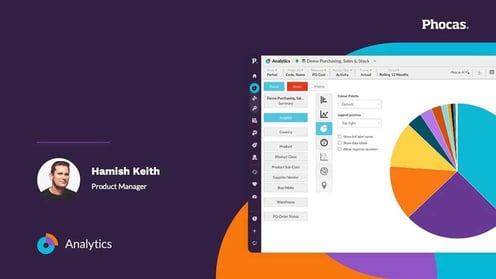
A major shift from passive reporting to active discovery. Analytics now delivers richer, more flexible ways to explore your data – with Flex Modes, cross-stream measures and synced views that make answers faster to find.
See how you can run complex calculations, instantly flag outliers and harness Phocas AI to get instant answers delivered in plain language. Plus much more.
From insight to action in one seamless workflow
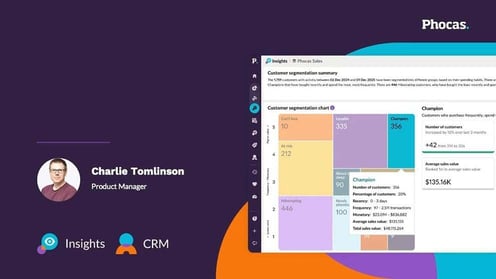
Phocas now gives sales teams a clearer path to revenue with two tightly connected tools. Insights delivers out-of-the-box visualisations, drill-downs, smart search and powerful filters. Helping reps surfaces at-risk accounts and high-value opportunities instantly.
Alongside Insights, the refreshed CRM delivers a smoother, modern experience with faster filtering, mobile optimisation and Outlook calendar sync, so reps can act on those insights without friction. Together, they create a seamless workflow – spot the opportunity in Insights, jump straight into CRM to follow up and keep every conversation moving.
Close faster with connected financials
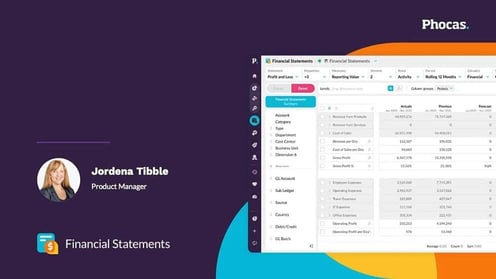
Financial Statements got a modern “glow up” with integrated journals, eliminations and advanced scenario planning that keep everything connected to your ERP.
Create, duplicate and reverse journals without leaving Phocas and analyse your group results with more accuracy and less spreadsheet work. Watch how you can speed up month-end close by up to 50%.

Plan with more flexibility and control
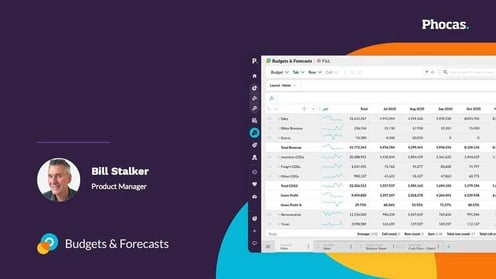
Budgeting and forecasting are now more flexible and collaborative. Split baselines, tabbed hierarchy views and automated ‘any’ mapping help teams start planning earlier and stay aligned as things change.
See how these updates give you clearer visibility into where you’re headed and how much capacity you have left to spend.
 Rebates