Analyze near-miss rebates
2:11 min
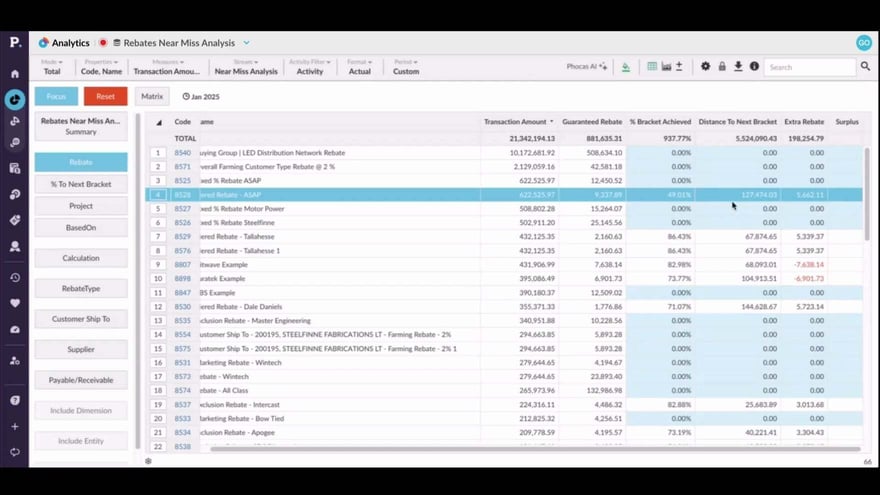
Learn how to analyze the near miss analysis database in Rebates, which acts like a return on investment gauge for rebate cycles. You add measures such as bracket achieved, distance to the next bracket, and likely rebate, then slice the data by supplier or customer to see how much more you need to spend to earn the next payout.
Supporting documentation
Phocas product
Category

Related video tutorials
 Rebates
Analyze rebates using dashboards
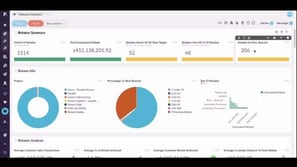
Learn how to use dashboards that draw on the rebates analysis and near miss analysis databases to track total rebates, brackets achieved, top performing rebates, and where surplus is likely to surface. You also learn how to see margin impact before and after rebates, and how to share a dashboard with a customer using a viewer license.
11:07 min
 Rebates
Analyze rebate performance
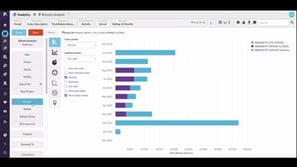
Learn how to use the rebates analysis and near miss analysis databases to see where rebate amounts are paid out by rule, bracket, or agreement, and which customers or suppliers they're based on. You also learn how to visualize the results, add them to a dashboard, and, as a customization, blend rebates into your sales data to compare value and profit before and after rebates.
6:24 min
 Rebates
Configure brackets
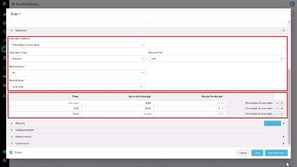
Learn how to configure the Brackets section of a rebate rule. You set bracket conditions such as calculation method, calculation type, retrospective, and the basis measure, then define tiers with From, And, and Up To and Including values that reflect either a monetary amount or a unit count, depending on the measure.
1:22 min
 Rebates
Configure retrospective rules
Learn how the retrospective bracket condition affects a rebate rule's results. A rule set to the full amount applies the top bracket percentage to all transactions, while a non-retrospective rule gives each increment the percentage of the bracket it falls into. You compare both calculations in the Results tab to see the difference in the rebate amount.
2:53 min