Best CRM for distributors: the complete guide
Find out how our platform gives you the visibility you need to get more done.
Get your demo todayWhat is CRM for distributors?
For distributors, the real test of a CRM is whether it helps sales reps understand their customers and sell more effectively. Logging activity and managing a sales pipeline are essential, but the value comes from knowing what customers buy and getting reliable product recommendations that helps their customers grow.
Sales, pricing, stock and purchase history usually live in the ERP, not the CRM. A distribution-specific CRM brings this data together in one system. This trusted data foundation matters because sales reps selling thousands of SKUs need to see this information together so their advice is always accurate.
Does CRM matter in distribution?
What CRM capabilities are necessary for distributors?
Five capabilities differentiate a CRM that fits distribution:
- Role-based access — a rep, a sales manager and a finance leader need different views of the same customer data and matched to what each person needs to see to do their job.
- Pipeline and BI reporting available in dashboards — accurate pipeline data and the ability to drill into variances, group or analyze in sales dashboards and ROI reports helps managers review performance.
- ERP-synced order tracking — purchase history, pricing and stock updates from the ERP sync and validate daily
- Guided selling and prioritization for reps — knowing which accounts and products to focus on next, based on customer segments ensures people are working on the most profitable accounts
- AI voice prompts to update CRM— Typing up notes after every sales visit often gets delayed. A quick voice note or prompt turns the outcomes of meetings into follow-ups and next steps straight into the CRM
How does role-based access work in distribution CRM?
Reps and managers obviously need different views of the business. A rep may need assigned accounts and their buying history. A branch manager may need views to team activity and pipeline. A sales manager may need performance across territories.
Permissions and role-based access in a CRM should support those responsibilities, including any restrictions on sensitive information. They also need to handle account ownership, territory plans and changes of either.
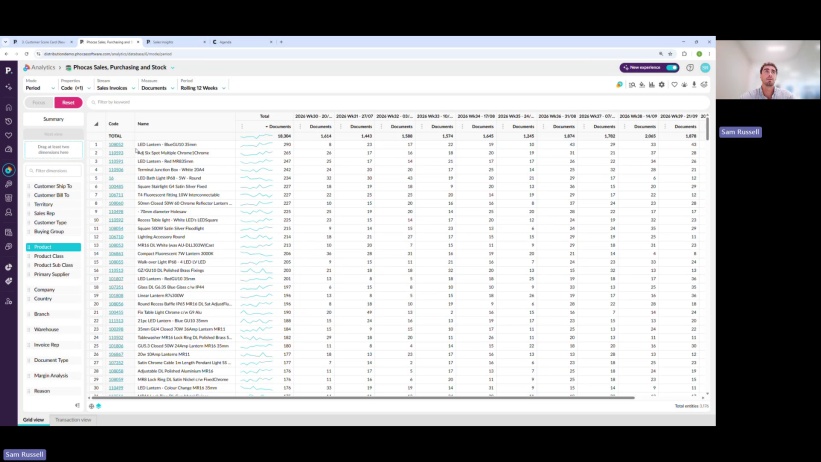
Ask your software vendor (like in the video above) to demonstrate the platform as a rep and as a manager. Check what each can view, edit, export and share, including dashboards.
What pipeline reporting and business intelligence capabilities do distributors need?
Pipeline reporting is crucial in any organization, and nuanced in a distribution organization. Standard CRM pipeline reporting shows what the team expects to win, but ERP transactions show what the customers bought. Sales leaders working in distribution need both.
Look for a CRM with reporting capabilities that can answer questions like:
- Which quotes are progressing?
- Where do opportunities stall?
- How do conversion and win rates differ by rep, branch and region?
- How do forecasts compare with invoiced sales?
- Are sales increases delivering the margin forecasted?
Visual pipeline updates according to your sales cycle and drag-and-drop deal stage functionality is a great way to keep track of deal progression. As pipeline data feeds directly into dashboards, sales leaders can coach teams effectively and forecast accurately.
How does the ERP-synced order tracking work?
An ERP connection with the CRM gives the sales team access to transaction information alongside customer activity, and is fundamental to any distribution organization.
Your reps use customer records, order and invoice history, products, pricing, margin and stock. Confirm support and integration to your ERP, the version and any custom fields that can be mapped.
Then establish the integration details:
- Which records can be updated? And how frequently?
- Can you see purchase history, pricing and stock along with notes and call logs?
- How are customer locations, returns and rebates handled?
- Who monitors failed updates and maintains the integration?
Ensure refresh frequency matches your needs - Whether it's once a day or hourly, you want to choose a frequency that fulfils your business requirements.
Revenue attribution and ROI reporting also needs more than just customer data. To connect closed-won activity to actual sales, you need reliable links to orders and invoices. Campaign ROI also requires campaign associations and investment costs.
How guided selling and account prioritization works for sales teams?
Guided selling is useful for distributors managing several accounts and product SKUs. The process can identify accounts and opportunities worth their attention, without the need to cross-reference data themselves.
Customer segmentation tools flag changes to accounts such as declining purchases or highlight an untapped product category relevant to an existing customer. These insights automatically become CRM tasks, so reps get a prioritized list of accounts and cross-sell or upsell opportunities backed by transaction data. This targeted information helps people plan their day or week based on tasks that have been ranked by revenue impact.
How can sales reps spend less time updating their CRM?
CRM administration is likely the bane of a sales reps' existence. It can be painful to update every record, especially when outside sales reps are on the road most of the time.
Reps don't have to type up notes after every visit. A quick voice note or prompt turns the recap of a meeting or major points into follow-up within the CRM tool.
AI voice note features address the issue of CRM adoption as a rep finishes a customer meeting then notes gets logged and the tasks get created so the pipeline stays current.
Make sure your CRM can easily enable reps to:
- Record a voice note on mobile after a customer visit.
- Turn meeting notes into follow-up tasks with owners and due dates.
- Review and correct notes before saving them to the right account.
- Update deal stages and next steps.
How do distribution CRM alternatives compare?
Phocas
Phocas combines CRM, business intelligence and guided selling on one platform for distribution sales teams. ERP-connected purchase history, pricing, margin and stock give reps context alongside customer notes and activity. A visual pipeline tracks quotes, bids and projects, while Analytics helps managers review opportunities and sales performance. Sales Insights helps reps identify declining customers and cross-sell opportunities.
For field reps moving between customer visits, mobile access and AI voice capture make recording notes and follow-ups easier. It’s an option for distributors looking to connect everyday sales activity with ERP data and reporting without adding a separate external BI tool.
Salesforce
Salesforce is the market's enterprise benchmark for CRM, with deep customization and a huge partner ecosystem that can scale to almost any sales process. Its permission and role hierarchy is sophisticated, which is well suited to large, multi-territory sales teams.
That flexibility does not include an automatic sync to ERP data so inventory and order history have to be built in for distributors. G2 reviewers of the Salesforce platform describe connecting CRM to ERPs and other third-party tools as a complex undertaking, typically resolved through a systems integrator.
HubSpot
HubSpot is known for ease of use and an approachable interface, which is a real strength for onboarding and every day use. Its marketing and CRM tools work well together for teams running an inbound-heavy sales motion.
The tradeoff shows up in its reporting depth. G2 reviewers of HubSpot Sales Hub point out that its reporting and customization options are limited. Costs climb quickly as data volume grows, which matters for a distributor that has many customers and requires pipeline data cross-referenced against thousands of SKUs.
Pipedrive
Pipedrive's visual pipeline is simple to adopt, which is why smaller sales teams select for their first CRM. Setup is fast and reps tend to adopt with almost no training.
BI depth isn't the focus, and G2 reviewers describe the reporting as restrictive, with more than one looking for deeper customization. Pipedrive also has no direct path to ERP data, so inventory context and deal agreements need to be added.
Epicor
Epicor's distribution-specific ERPs (Eclipse, Prophet 21) include CRM modules that sit directly on the ERP, so sales, inventory and order data are in the same system. This data flow is automatically integrated.
As the CRM tools were built to match the ERP so creating dashboards and reports is complicated. G2 reviewers of Epicor's distribution ERPs note the interface can feel outdated and less intuitive for new users, which slows rep adoption.
If you are using or considering Epicor, our Phocas vs Epicor comparison explores the differences between managing customer relationships within your ERP and using a connected CRM and analytics platform.
White Cup
White Cup (formerly MITS) is one of the more distribution-focused CRM and BI combinations on the market, built to address the industry's needs and workflows. It has recently added an AI layer called Nexus which has widened its audience but the business intelligence runs on the legacy technology.
G2 reviewers point to the same friction that shows up across older, ERP-adjacent tools, describing the BI interface as outdated and clunky at times.
If you’re evaluating specialist distribution platforms, our Phocas vs White Cup comparison looks at how each supports customer activity, ERP-connected data and sales reporting.
Proton.ai
Proton.ai is a new AI-first entrant into distribution sales tools, focused on product recommendations and upsell prompts for reps. This specific focus makes it quick to set up for a team specifically wanting cross-sell and upsell revenue.
The newer platform has a narrower scope than a full CRM. On G2, one reviewer flagged the automated product recommendation feature as slow to load and, at times, not especially useful, which undermines the point of guided selling if recommendations are not useful.
Sugar AI
SugarAI is a strong AI-led CRM and revenue intelligence platform that helps sales teams use ERP-connected buying insights to identify new opportunities. Its strength is guiding sellers towards next-best actions based on customer data.
For distributors, SugarAI is less comprehensive because its focus is primarily on sales and CRM rather than decision-making across the wider business. Users value Sugar’s CRM capabilities, but some report limitations around advanced analysis and dashboard usability.
| Role-based access | Pipeline and BI reporting | ERP sync | Guided selling | |
|---|---|---|---|---|
|
Phocas
Role-based access
Yes Pipeline and BI reporting
Yes ERP sync
Yes Guided selling
Yes |
||||
|
Salesforce
Role-based access
Yes Pipeline and BI reporting
Limited
ERP sync
No
Guided selling
Yes |
||||
|
HubSpot
Role-based access
Yes Pipeline and BI reporting
Limited
ERP sync
No
Guided selling
Yes |
||||
|
Pipedrive
Role-based access
Yes Pipeline and BI reporting
Yes ERP sync
No
Guided selling
Yes |
||||
|
Epicor
Role-based access
Yes Pipeline and BI reporting
Limited
ERP sync
Yes Guided selling
No
|
||||
|
White Cup
Role-based access
Yes Pipeline and BI reporting
Limited
ERP sync
Yes Guided selling
Yes |
||||
|
Proton.ai
Role-based access
Yes Pipeline and BI reporting
Yes ERP sync
Yes Guided selling
Yes |
||||
|
Sugar AI
Role-based access
Yes Pipeline and BI reporting
Limited
ERP sync
Yes Guided selling
Yes |
How to choose the right CRM for your distribution business?
If your reps are reticent to update the CRM, the fix usually isn't a better generic CRM. It's one that already knows your ERP data, so reps get pipeline, margin and stock in the same screen instead of numerous different tools.
Phocas CRM is built specifically for distributors, connecting directly to your ERP's order, margin and inventory data so a rep sees the full picture of a customer the moment they open an account. Business intelligence (BI) and guided selling sit in the same platform making Phocas CRM distinctive.
For more detail about Phocas CRM and how it is built for distributors, go to the Phocas CRM page.
Understand the past, operate better today, and plan well for the future